
Articles
| Name | Author |
|---|
CASE STUDY: Air Atlanta crews get in the picture
Author: Various, Air Atlanta
SubscribeA new app letting crews and crew management all be up to date has transformed life at the Icelandic airline
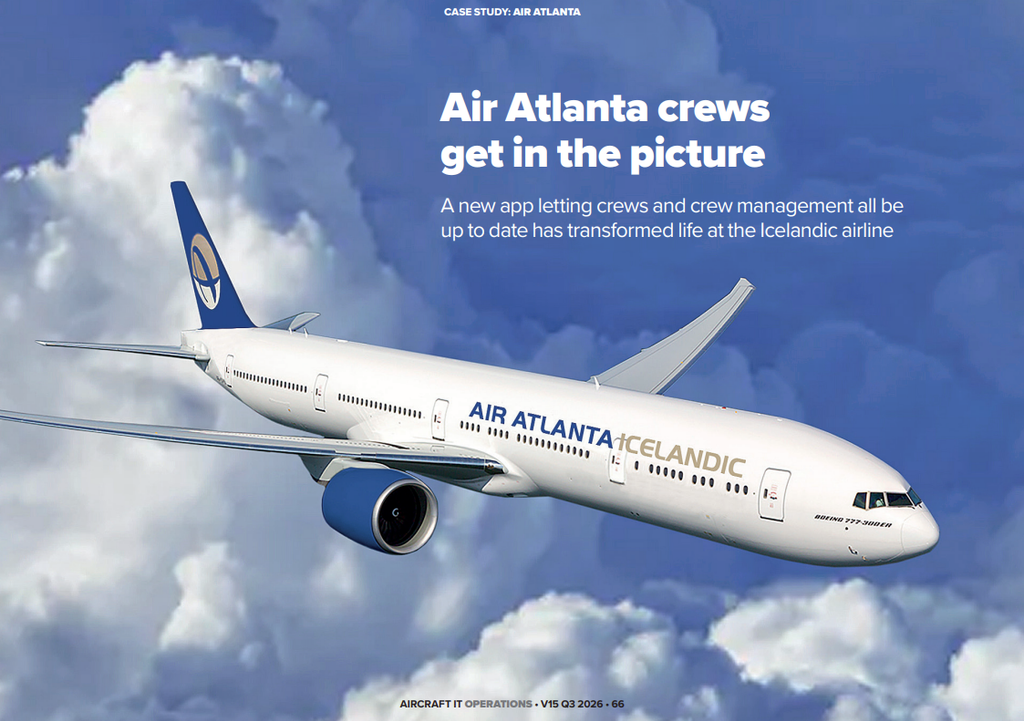
Getting the right crew into the right aircraft at the right time to ensure a safe and on-time flight is an essential but also one of the more challenging processes in airline operations. This case study will be about that process but before we get into it, let me introduce you to Air Atlanta, the airline where it all happened.
AIR ATLANTA
Founded in 1986, Air Atlanta is celebrating its 40th anniversary this year, and there have been a lot of things to celebrate during those years. We operate a fleet which includes Boeing 777 passenger aircraft, both 300 ER and 200 LR; we also have a fleet of Boeing 777 300ERSF converted freighters: we were the second operator in the world and the first one in Europe to start using the triple seven 300 commercial freighters. And then we have a substantial fleet of Boeing 747 freighters, both production and converted models. Our total fleet fluctuates between 18 and 20 aircraft. Although Air Atlanta is primarily a cargo operator, we do fly some passenger services with four aircraft that we fly mainly for Saudi Arabian Airlines on a round schedule service and during the Hajj.
BUILDING THE BUSINESS CASE
Prior to CrewApp®, we had quite a lot of issues around crew scheduling, particularly with communications. The primary means for communication between crew and office were by text messages, emails and phone calls with rosters published via email. Any last-minute changes were confirmed or communicated with telephone calls. This resulted in a lack in communication and changes often fell between the cracks, resulting in operational issues. That was how we worked prior to implementing CrewApp: all communication was manual.
Going all the way back to 2012, which was when we first implemented CrewApp in Air Atlanta, we had a problem with very frequent schedule changes. We were operating on behalf of other airlines and adapting to their schedule changes, both in cargo and passenger services, which gave us an issue conveying all those roster and schedule changes to our crew members. Being a global airline, this was a tedious process which gave rise to a lot of issues. This means of managing crews and the roster was insufficient because the roster became worthless almost immediately it was published on account of there being so many schedule changes. Crew members had to rely on hoping they had the latest version and picking up all the changes since the previous iteration. We needed a tool to ensure that crew members would always be aware of what was their current schedule.
Taking all that into account, the business case boiled down to: we needed crew members to be aware of what the rosters were, which duties they were performing and to be sure that they had the up to date and relevant information. CrewApp is the ideal tool to do that.
THE IMPLEMENTATION
We did not have a typical implementation, per se; it was more of an evolutionary process in the sense that the solution that we use today was developed around the issues described above. The first version of CrewApp that we implemented was also the first version ever of CrewApp. It was a one-way roster display tool that simply published a roster to crew members. However, about six months after implementation, a confirmation facility was added which made it two-way. Changes in the rostering were conveyed to the crew members who could, via a notification, confirm receipt. and that, in turn, changed the status in the crewing systems. The crew controller was aware that crew members had seen the changes and each crew member could confirm that they knew about the changes. That was a milestone, but it was not the final story. We were still figuring out, with CrewApp, how we could improve on what we already had.
Changes that the implementation initiated.
The implementation did require some process changes for Air Atlanta. Because we had moved away from manual communications, making them semi-automated and integrated, the crew controllers were able to move away from having to make phone calls, and having to respond to emails and text messages from crew members. It enabled them to focus more on their work dealing with real-time obstacles or challenges. Instead of being reactive, they are now able to be more proactive.
Challenges and obstacles during the implementation
At the time of the initial implementation, we had a very close relationship with the developers and the programmers behind CrewApp which meant that any kind of pain points were immediately addressed. We’re now in the third generation of the application and there have been a lot of update implementations since then; introducing the latest versions or technology changes. With updates and changes, the key thing is making sure that there is no gap between what we need and what we get with CrewApp.
Implementation timeline and resources
The timeline was over two to three months for the original implementation which, during the setup, involved three or four people from our side – project managers, project owners and a technical team. But in general, it was not demanding of manpower from our side. It was more a matter of making sure that our information and our processes were aligned plus a little bit of a cleanup, making sure that the information in our system was correct. One good thing was that we knew our needs clearly, and that’s often the hard part during implementation: if you discover something you would like to have or that is more important to focus on, but you didn’t realize it until after the implementation process is underway.
HOW CREWAPP WORKS
Crew App is now the primary communication tool between crew members and the company with all the changes and everything conveyed through there. It’s a mobile application that crew members have on their phones, and on their tablets for EFBs and they now rely on CrewApp as the primary way to make sure of what they will be doing. What has changed is that it now gives crew members the whole scenario. As well as where they’re operating to and which aircraft they’ll be flying, they now also know are the current issues with the aircraft, what are the potential issues, MEL items, etc. They know the defects on the aircraft that they’re going to crew plus pilots will have the overview of the flight plan, the general declaration and all the necessary documents they need. For cabin crew, they will see where passengers are seated and any special needs requests.
There is also a complete guide to the destination. how to get to the airport, how to get from the airport, all the travel arrangements plus, of course, information about the hotels where the crew are staying and what services and facilities are available at those hotels. Crew members now have all the information they need, from the time they wake up until the final destination of the day, without having to look elsewhere. They don’t need to communicate with the airline, unless it’s for something out of the ordinary, because the information is all at hand.
User reactions
At the outset, the first version of CrewApp was sent out to a targeted crew group as testers but we did not give them any specific instructions, leaving them to figure it all out, verifying that it’s easy to use, intuitive and user-friendly. Crew members’ response was phenomenal; it was something that they had been wanting because all a crew member wants to do is show up for the duties and perform their work without any unnecessary issues and frustration from not having the information they need. Now they had this app in their pocket where everything was at their fingertips; the reception was great.
Since then, and with later versions where there’s more complexity and more things that are being solved, there is guidance inside the app that takes users through the latest changes, but we haven’t heard of any crew member that is unhappy with it. They’re all just loving how easy it still is to use.
Because CrewApp is not classified as a new part of the EFB, no regulatory approval was needed. There are circumstances that might be considered borderline, but it’s more about the processes behind the solution, making sure that there is a fall-back process so that, if needed, crew members do have access by other means.
Neither were there any union issues because we involved them from the beginning, making sure that they had a say. One concern, from crew members’ perspective, with using a mobile application, which we heard from our union pilots, is the fear that the company would have some kind of control over them or their location; an invasion of their privacy. To address that concern, we made sure that, when a user installs the application, their location is not required. The app and the company have no idea of where crew members are located; it’s not invasive, neither does it track users. It’s only there for information and use. When we explained that to the unions and went through the application, they were completely happy with it.
LESSONS LEARNED
Everything is a learning process and one thing we would have done differently is making sure that our data is of high quality, to ensure that everything is more ready because, with any implementation, if the data it’s going to use is not up to speed or up to date then there can be a delay while a clean-up is carried out. That’s what we would have done differently, making sure that our data was ready.
RESULTS AND OUTCOMES
With CrewApp, we experienced a more than 80 percent reduction in phone calls and emails between crew members and our office, crew control and crew planning, because all those communications were not necessary anymore. That was a measurable result. Also, using the app, more than 98 percent of crew members acknowledged receipt of their changes within a couple of hours in the app. So that was another measure because, before this, we had had a huge lag in those response times from the time our schedule was published or changed until the crew members acknowledged it. Those are measurable outcomes, but I think the one that is often overlooked is crew satisfaction, their happiness. Today, that is very important and relevant when airlines are fighting not only to get pilots and crew members on board, but to retain them. Crew members are a sought-after community. Everyone wants good crew and are prepared to offer them attractive packages. But if you provide them with a nice working environment, with something that they’re happy with, and CrewApp is part of that for us, they are much happier. When they have everything, with all the information they need, it makes their day-to-day working life easier.
NEXT STEPS WITH CREWAPP
When you solve one problem, you often want to move on to the next; at Air Atlanta we are always looking for ways to figure out how to resolve any pain points or problems. The consideration with CrewApp is to figure out whether it would be the best place to develop a resolution for a pain point or a solution to a problem. We understand it and know how it works but we can’t push everything into that app; it’s not designed to solve all our issues. That said, we have been looking at a tool to improve our on-time performance and reliability, and that’s been done through task lists, and some measurable intel that we are now getting fed from the users of CrewApp. We are clearly looking into some more options there but have implemented all the reporting through CrewApp, and there are certainly more things that we would like to see go through that menu. There are definitely possibilities out there. We just have to make sure that they’re well-defined, with a clear path for development and deployment.
Of course, when we talk about CrewApp, we mainly talk about how it affects the crews, but we mustn’t forget that it’s more than that. The application for crew members is just one side of the solution. The other side is the web version, the web tool called Live that CrewApp provided and that is utilized by everyone in the back office. That often gets forgotten, but it’s a very important part of the airline’s ecosystem. Everyone who works in the office and who has something to do with the crew or aircraft or maintenance can use Live. It gives them access to the latest information about everything that crew members see and some more, including the ability to be in communication with the crew. There are chat channels and everything is integrated there, plus there is a lot of information being exchanged between the office and the crews. Live is the go-to tool that we use to communicate with the crew group and for those in the office to get the relevant and up-to-date information.
That has been our experience so far with CrewApp which has added real value to our operations and enables us to work together more easily and more efficiently and that has been a real benefit.
Comments (0)
There are currently no comments about this article.
To post a comment, please login or subscribe.